
Download Tacview – Flight Simulator, Flight Data, Flight Analysis, Pilot Training, Tactical Skills, Simulation, Debriefing, Real-Time Telemetry, Flight Logs, GPS Data
Overview
Tacview is a specialized mobile application designed for pilots and simulation enthusiasts who seek to enhance their flight performance through detailed data analysis. The app functions as a powerful tool for recording, reviewing, and interpreting flight telemetry, supporting both virtual flight simulations and real-world flight data. Its primary purpose is to improve tactical awareness and flying precision by enabling users to conduct in-depth debriefings after each flight.
By transforming raw flight data into visual and analytical formats, Tacview helps users identify patterns, understand mistakes, and refine their techniques over time. The target audience includes professional pilots, flight school students, military aviators, and simulation hobbyists who use platforms like DCS World or Microsoft Flight Simulator. Although the developer, Tacview, did not provide additional background on its origins or organizational structure, the app has maintained a consistent presence in the aviation technology space since its release in 2006.
Its long-standing relevance underscores its value in the flight training ecosystem. Real-world use cases include post-flight evaluations in military operations, academic flight training, and personal skill development for simulation enthusiasts. The app plays a crucial role in bridging the gap between raw data and actionable insight, making it an essential utility in modern flight education and performance optimization.
Key Features & Functionality
- Comprehensive Flight Data Recording: Tacview captures telemetry from multiple flight simulators, including DCS World and Microsoft Flight Simulator, and supports GPS data imports for real-world flight analysis. This dual capability ensures versatility across both virtual and physical flight environments.
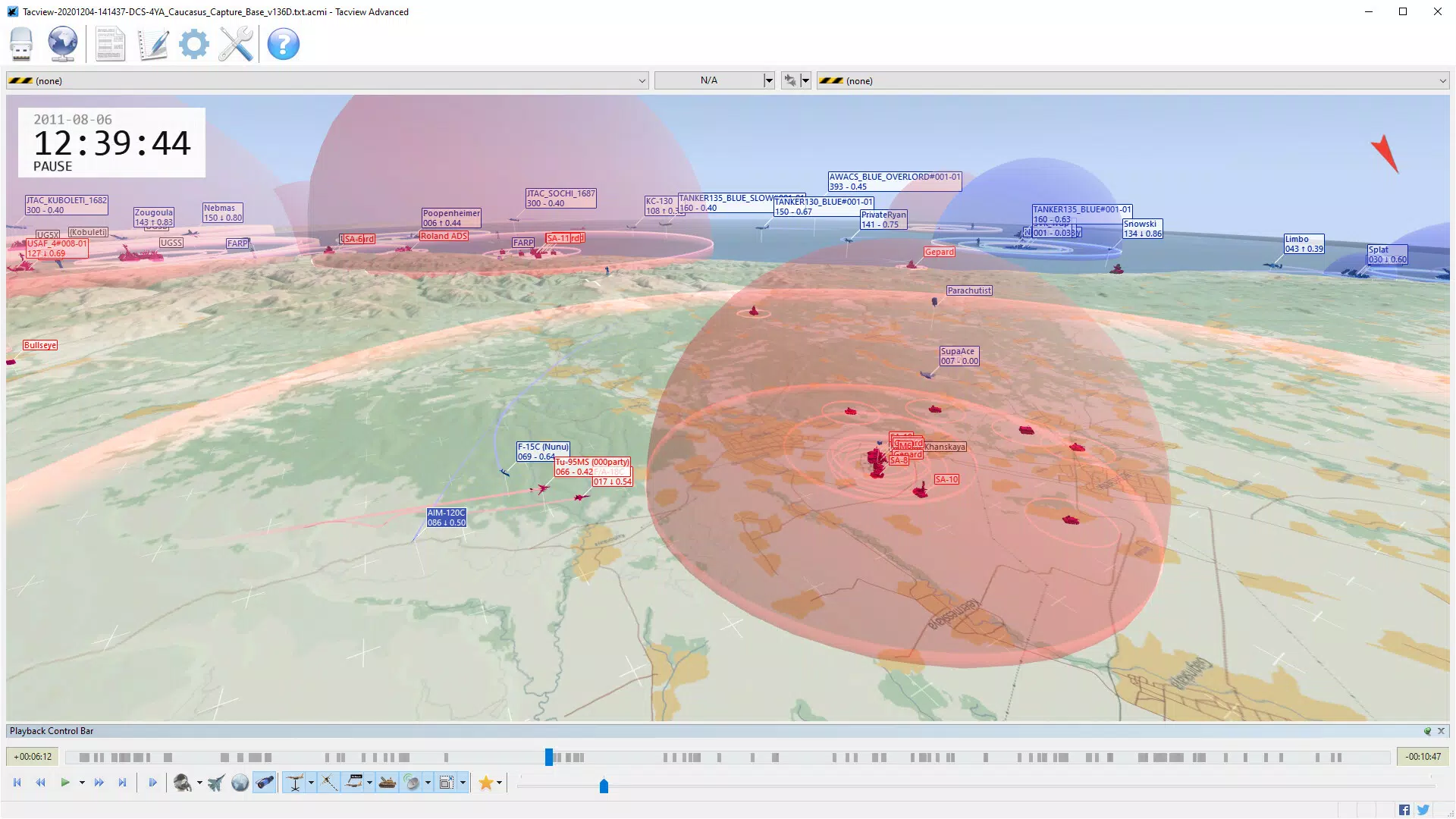
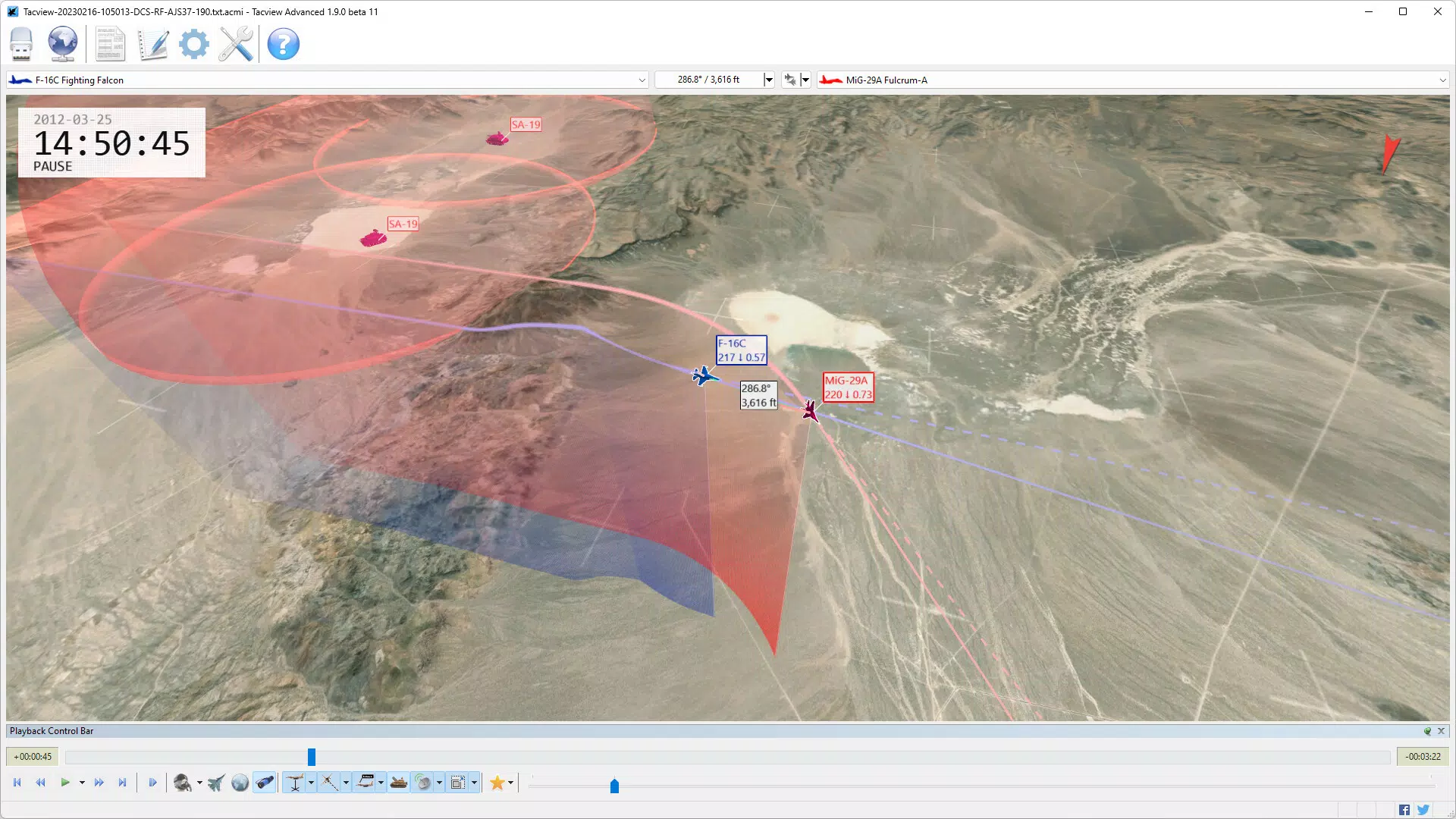
- In-Depth Flight Analysis: The app visualizes complex flight events such as radar locks, missile trajectories, and weapon engagement timelines. These metrics are presented through dynamic charts and 3D reconstructions, enabling users to assess tactical decisions with precision.
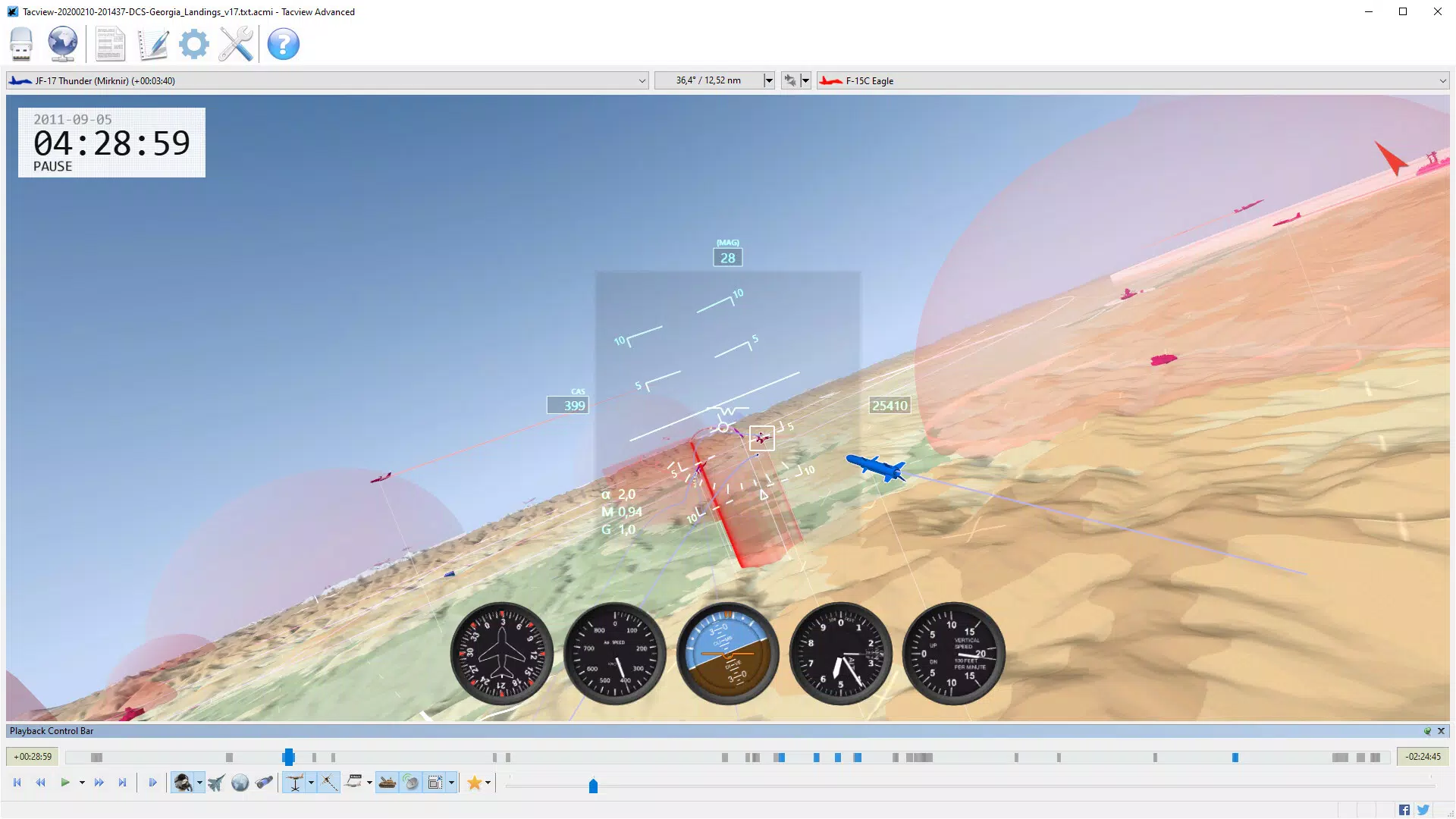
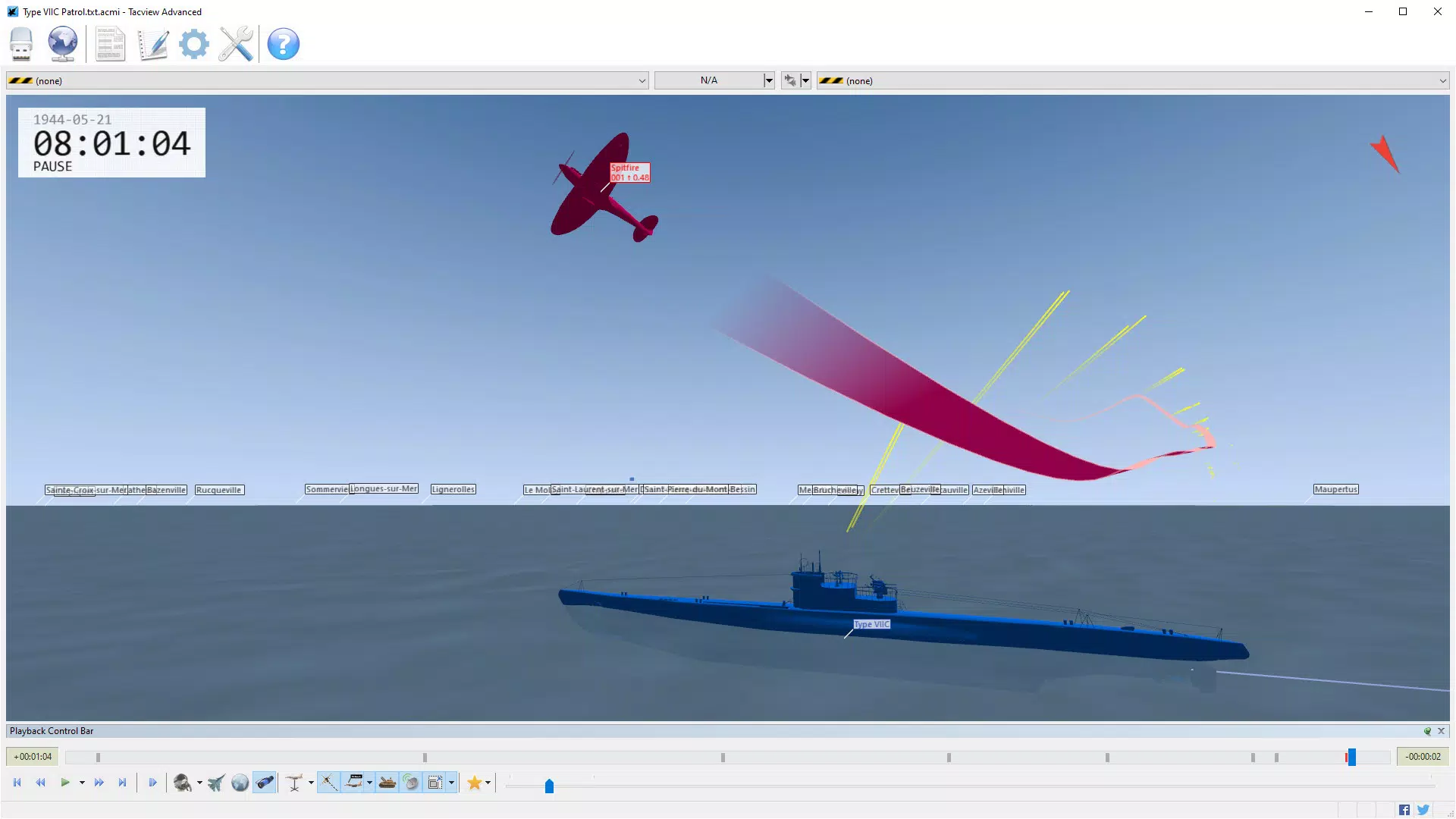
- User-Friendly Visualization: Complex flight data is rendered using intuitive color-coded symbols and scalable 3D views. Users can switch between cockpit, satellite, and tactical perspectives to gain a complete understanding of spatial relationships during missions.
- Instant Replay and Review: Flight playback allows users to rewind, pause, and scrub through flight events in real time. This feature supports detailed error analysis and enhances learning by enabling users to observe decision points from multiple angles.
- Flight Log Export and Tracking: Users can export flight logs in multiple formats for long-term progress monitoring. This functionality supports personal development tracking and institutional reporting in training environments.
For example, a flight school instructor can use Tacview to replay a student’s dogfight, highlighting timing errors in missile launches and identifying missed situational cues. Similarly, a hobbyist using a flight simulator can analyze fuel consumption patterns across different flight profiles to optimize efficiency. These practical applications demonstrate how Tacview turns raw data into meaningful performance feedback.
Interface, UX & Performance
The user interface of Tacview is structured around a clean, data-driven layout that prioritizes clarity and accessibility. Navigation is centered on a main timeline and 3D visualization panel, allowing users to interact with flight data through intuitive gestures such as zooming, panning, and rotating the view. The visual style emphasizes readability, using contrasting colors and distinct symbols to represent aircraft, weapons, and radar contacts.
Although the developer did not list formal performance metrics, the app operates efficiently on Android devices, maintaining smooth playback and responsive controls even during complex flight scenarios. Users can expect consistent performance across various device categories, including mid-range and high-end smartphones. Responsiveness is maintained during playback and data rendering, minimizing lag or stutter.
Stability appears to be well-maintained, as the app supports long-duration flight logs without crashes. The design avoids clutter, focusing on essential tools and minimizing user distractions. While no specific accessibility features were disclosed, the interface is generally approachable for users with basic digital literacy.
The overall experience is optimized for focused analysis, making it suitable for both quick reviews and extended debriefing sessions.
Platform Compatibility & Technical Requirements
Tacview is available on the Android platform, with the latest version being 2.5.3. The app has a file size of 24.2 MB, indicating a lightweight footprint suitable for most modern Android devices. The developer did not specify minimum OS requirements or hardware specifications, so compatibility with older Android versions cannot be confirmed.
Users are advised to ensure their device meets general Android 6.0 or higher standards for optimal functionality. No additional permissions or background services were listed in the provided data. The app is distributed free of charge, making it accessible to a broad audience.
Installation is straightforward through official Android channels, and updates are likely delivered through the Google Play Store. Although the developer did not provide details on cloud sync, cross-device compatibility, or offline capabilities, the app functions as a standalone tool for local flight data analysis.
Pros and Cons
Pros
- Supports multiple flight simulators and real-world GPS data imports.
- Offers advanced 3D visualization and instant replay for detailed analysis.
- Enables performance tracking through exportable flight logs.
- Lightweight size (24.2 MB) with efficient resource usage.
- Free to download and use, increasing accessibility for students and hobbyists.
Cons
- Specific OS and hardware requirements were not disclosed.
- No information on cloud integration or cross-device synchronization.
- Limited visibility into future update frequency or roadmap.
- May require additional setup for unsupported simulators.
- Interface may feel technical for users without prior flight data experience.
FAQ
Is Tacview safe to download and install?
Yes, Tacview is a legitimate application distributed through official Android channels. The app is free and does not require root access. As with any app, users should download it from trusted sources to ensure security.
Can I use Tacview with my flight simulator?
Tacview supports popular flight simulators such as DCS World and Microsoft Flight Simulator. For other simulators, the developer provides documentation to create custom data exporters, ensuring broad compatibility.
Does Tacview work with real-world flight data?
Yes, Tacview can import GPS flight data, allowing real-world pilots and aviation students to analyze actual flight logs using the same tools used in simulation environments.
Is there a version for iOS?
The current version of Tacview is available only on Android. The developer did not provide information about iOS availability or future plans.
How often is Tacview updated?
The release date of the latest version is 2006-07-18, but update frequency is not specified. Users are encouraged to check the official source for the latest version and improvements.
Final Thoughts
Tacview stands out as a powerful, no-cost tool for anyone serious about improving flight performance through data-driven analysis. Its ability to integrate both virtual and real-world flight data makes it uniquely valuable for pilots, instructors, and simulation enthusiasts. The combination of intuitive visualization, replay functionality, and exportable logs provides a comprehensive framework for skill development and tactical refinement.
While some technical details remain undisclosed, the app’s proven track record and focused design suggest reliability and effectiveness. It is particularly beneficial for flight schools, military training units, and individual aviators seeking to learn from their experiences. For those invested in aviation training or simulation, Tacview offers unmatched value in transforming flight data into actionable insight.
Download Tacview now.


